


Review: Motorola Defy
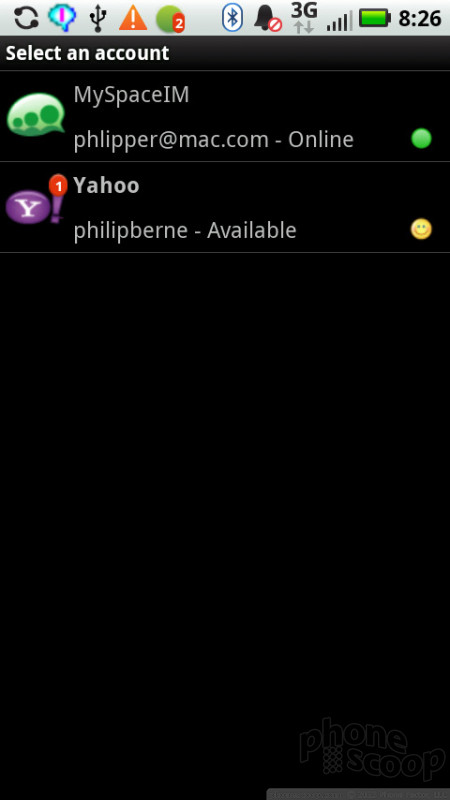
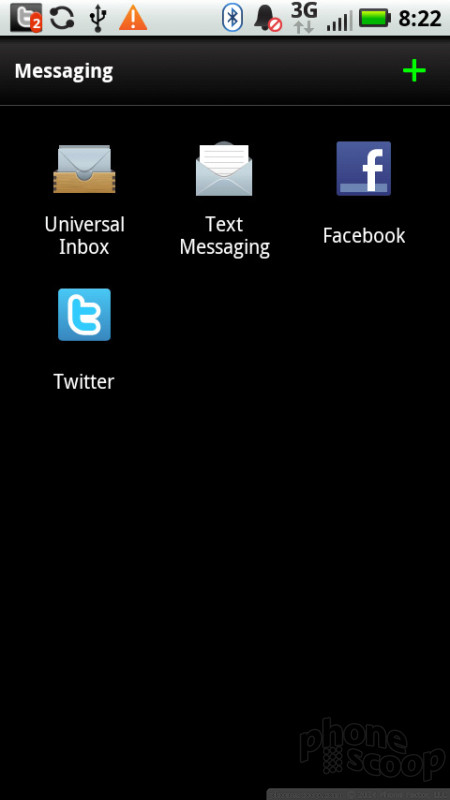

The Motorola Defy has a great assortment of messaging options, more than you'll find on most smartphones. The phone uses a Swype keyboard with a slightly improved look. Swype lets you draw a line from letter to letter to spell words, instead of typing letters individually. I like Swype, and even though I found some other aspects of the interface could be laggy to the touch, I never had problem with Swype recognizing my finger gestures.
The phone also uses a universal inbox. It excludes email, but gathers up all of your text messages, DMs from Twitter and messages sent through Facebook into one spot. So, it's more of a social inbox than a place to see all of your communication, but that fits with the Motoblur ethos.
SMS comes in a nice looking, threaded text messaging app, so you can see both sides of a text conversation at once. Pictures also show up among the conversation bubbles. The phone has great instant messaging support. You get Google Talk in its own app. Then there is a separate client that offers Yahoo, AIM, Windows Live and even MySpace messaging. MySpace messaging is still a rarity, even on smartphones, so it's a nice bonus. I think Facebook messaging would be an even bigger draw, however.
The phone can also handle email with two separate apps. A Gmail app is dedicated to Google's own mail service, and it has more robust features and a nicer interface than the more basic Email app, which handles Exchange, POP and IMAP accounts.
 CTIA Fall 2010
 Motorola Announces the Defy Rugged Android Phone
 Motorola Refreshes razr Lineup with Better Batteries & More
 Motorola's new Edge Adds Tele Camera, Among Other Upgrades
 Moto Intros razr Ultra, its New Flagship Foldable
 Motorola Defy (2010)


