


Review: Samsung Sunburst
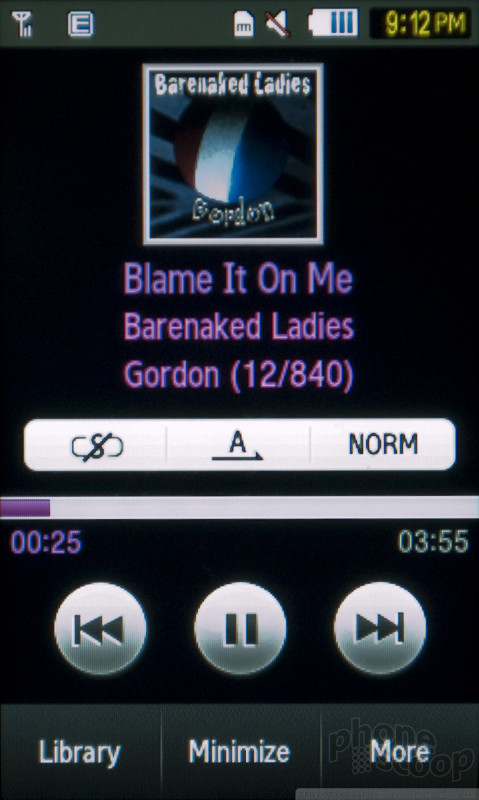
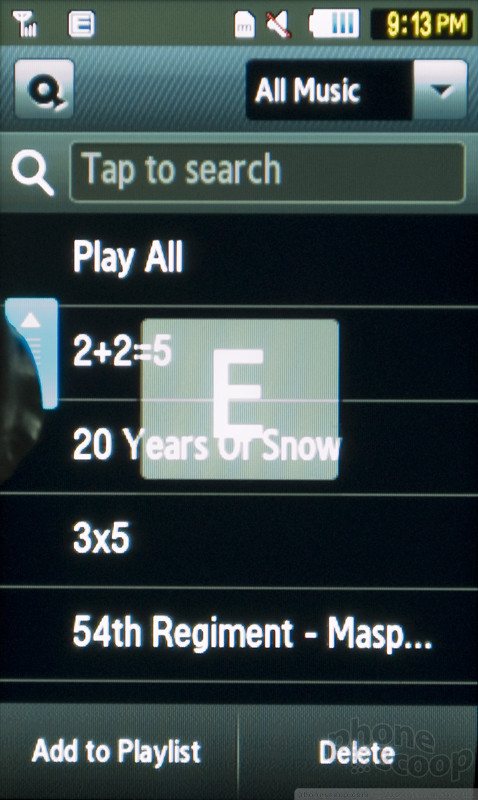
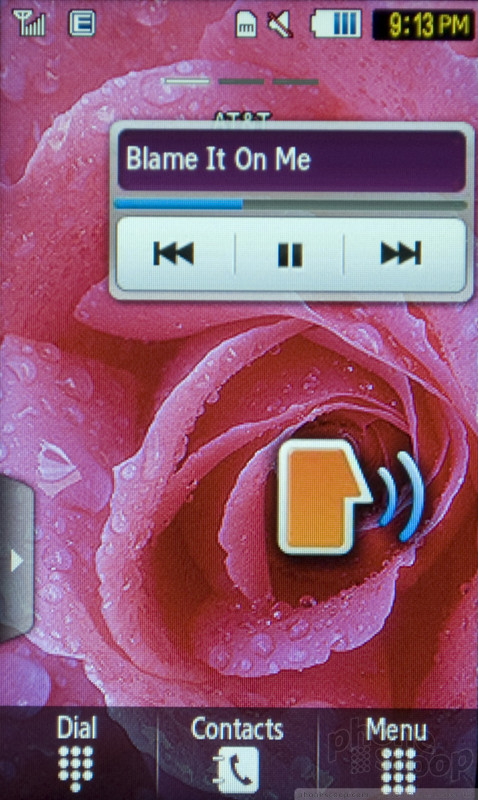
There's a nice looking music player on the Samsung Sunburst, but the hardware holds back the music experience. The player software features large buttons that are easy to tap with a fingertip, though you'll still have to press firmly. There are even controls for shuffle and repeat options, as well as a few preset equalizer settings. With the right EQ, music did sound better. There's a TouchWIZ music widget for the home screen that offers some basic playback control, but if you want to shuttle through a song you can also swipe the progress bar with your finger. When the screen is locked, the Sunburst does not offer music controls on the lock screen.
The Sunburst needs a 3.5mm headphone jack; unfortunately, it doesn't have one. The phone doesn't come with headphones or even an adapter, so you'll either have to hunt down a proprietary part or stick with stereo Bluetooth headphones. Music sounds pretty good coming through the speaker. Unfortunately, the speaker is on the bottom of the phone, and though a small lip keeps it from being covered completely, when the phone is screen up the speaker is still face down, so the sound is a bit muffled.
There's no USB cable included with the Samsung Sunburst, nor a microSD card, but this wasn't too much trouble. Once I loaded my music files onto my own card, the Sunburst found them easily. Album artwork did not come through on most tracks, however.
 iPhone 15 Series Goes All-In on USB-C and Dynamic Island
 Samsung S24 Series Adds More AI, Updates the Hardware
 Motorola Refreshes razr Lineup with Better Batteries & More
 Samsung's New Foldables Stick to the Formula
 Boost Updates its Celero Phones for 2024
 Samsung Sunburst A697


