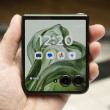
Review: Samsung Intercept
Screen
The screen on the Samsung Intercept is a disappointment, especially for a modern smartphone. The 3-inch screen is pushing a scant 240 by 400 pixels, which is among the fewest pixels of any Android phone, though Motorola has been offering a pair of petite Androids with 2.8-inch, QVGA displays. Even worse than the low resolution, though, the screen simply looks washed out and blocky. There's a noticeable screen door effect. Compared to the Samsung Moment, which uses a 3.2-inch AMOLED display, the Intercept can't hold a candle. Outdoors, the Intercept holds up a bit better, since its LCD screen doesn't fade like AMOLED. But the screen is still a perceptible step down from the Moment.
Sound
The earpiece on the Samsung Intercept sounds fine during phone calls. There was a slight background hum, just a bit of static, but nothing terminal. I had no trouble hearing callers through the phone's earpiece. I wish the speakerphone was much louder. I had no trouble hearing the speaker in a quiet office, but in a car the speaker couldn't overpower environmental noise.
Signal
To test the signal, I journeyed into the PhoneScoop vault SouthWest (my local movie theater, which gets 0 bars on most cell networks). The Samsung Intercept couldn't handle the isolation, and the signal dropped to nothing. Calls would not come through, and I was not able to get a data signal. Under more normal circumstances, the Intercept got signal comparable to other Sprint phones, but it was average, not better than any competitors. Wi-Fi signal was always solid. The phone uses Sprint's slower EV-DO rev. 0 for data networking, but it never dropped to the 1xRTT data network as long as I had reception.
Battery
Battery life was okay, but drained quickly as I used more of the phone's capabilities. With simple calls and e-mail checking, I was able to get more than a day's use out of the phone. With lots of GPS navigation, some Web searching and a few photographs, I was able to drain the battery by the end of lunch. At least the phone charges over microUSB, which means you can plug it into a laptop to charge, and finding charging accessories is easy.
 Snapdragon 8 Gen 3 Can Run Generative AI Voice Assistant On-Device
 New Case Adds Keyboard to iPhone Pro
 Boost Updates its Celero Phones for 2024
 Arm Announces Most Efficient Processors Cores for Phones to Date
 Apple Intelligence Promises Personalized AI, Requires iPhone 15 Pro
 Samsung Intercept