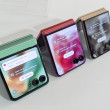
Review: Helio Kickflip
mac sync work around

so one of our contacts at helio is a mac user, and today he and i worked out a way for you to get your contacts from apple's address book or microsoft entourage to your helio phone. it's not an isync solution, so it won't constantly update, but at least it will save you from the pain of having to enter all your current contacts into your new kickflip or hero. here's how it works:
If you're using Outlook on a PC, you can easily export your Address Book to
a .CSV file by going to your Outlook Contacts and choosing
File-->Export-->Export to a File-->Export to Comma Separated Values
(Windows).
If you're using a Mac, making a .CSV file is a little bit trickier:
If you have Entourage, go to Contacts and choose Export-->"Local contacts ...
(continues)
If you're using Outlook on a PC, you can easily export your Address Book to
a .CSV file by going to your Outlook Contacts and choosing
File-->Export-->Export to a File-->Export to Comma Separated Values
(Windows).
If you're using a Mac, making a .CSV file is a little bit trickier:
If you have Entourage, go to Contacts and choose Export-->"Local contacts ...
(continues)
...
This forum is closed.