Review: Motorola Photon 4G
The Photon 4G comes with all the stock Android messaging and communications applications. It offers the standard Android email, Gmail, SMS/MMS, and GTalk applications. If you're looking for AIM or other IM support, get thee to the Android Market.
The Photon 4G also offers the master inbox from Motorola's Motoblur software, which catches messages from SMS, Twitter DMs, and Facebook messages all in one place. This tool is a decent way to manage direct communications for these social networking services rather than directly in those apps.
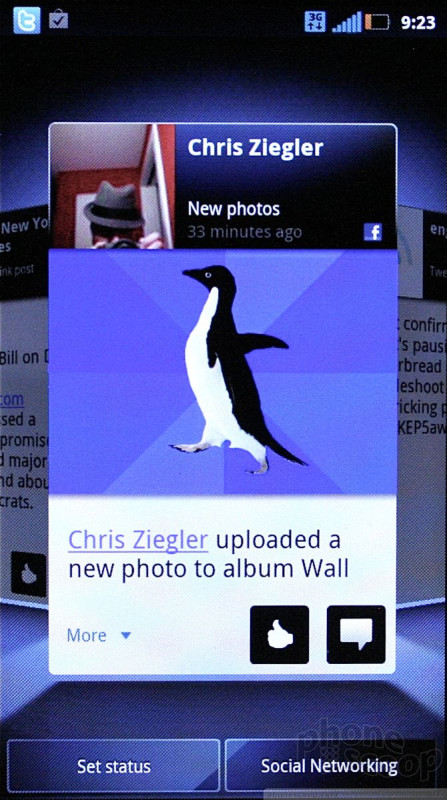
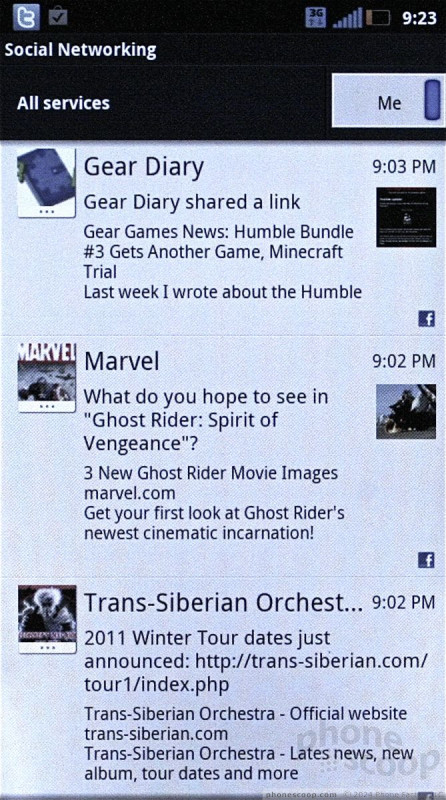
The Photon 4G has the same catch-all social networking application that's on the Droid 3 and other Motorola handsets. This app helps manage status updates for Twitter, Facebook, and MySpace. It includes a home screen widget, from which you can scan through your Twitter, Facebook, and RSS feeds, as well as post your thoughts and musings.
The stock Facebook and Twitter apps are not included, so if you want the full functionality that they offer, you'll have to snag them from the Android Market.
Oddly, the Photon 4G doesn't include any sort of video chatting software, even though it has a user-facing camera. If that's what you're looking for, I'd recommend you download Skype, which is free.

 Sprint Reveals Motorola Photon 4G
 Motorola Photon 4G / Electrify