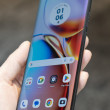
Motorola SLVR L7
Trouble with Itunes

I'm wondering if anyone can help me. I've had my SLVR for about a year and when I first got it, I loaded songs on it. I did this with no problems at all.
Well, I decided I wanted to change the songs so I started Itunes, plugged in the phone through the usb cable but the phone doesn't show up in the source list.
Does anyone know why this is suddenly happening?
Thanks
-L-
Well, I decided I wanted to change the songs so I started Itunes, plugged in the phone through the usb cable but the phone doesn't show up in the source list.
Does anyone know why this is suddenly happening?
Thanks
-L-
...

😢 I can't even get it do the first set of downloads!...no one seems to be able to help me and I'm very frustrated...I hope your issue is resolved quicker then mine.
Jenna
Jenna
...

If I remember correct u need to change ur phone settings from fax modem to storage
Or something along that line. I will look into it but it something like that.
Or something along that line. I will look into it but it something like that.
...
First, set up the phone to use the memory card as the default USB connection.
On your phone: Press - > Settings > Connection > USB Settings > Memory Card.
2 On your computer, open iTunes.
3 Using the USB cable, connect your phone to your computer.
On your phone: Press - > Settings > Connection > USB Settings > Memory Card.
2 On your computer, open iTunes.
3 Using the USB cable, connect your phone to your computer.
...