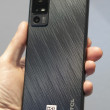
Samsung MM-A700 / SPH-A700
Question On Photo Features/Downloading

Hi. I have a new Samsung MM-A700. I have a couple of questions on features:
1) You can take a picture and it is placed into the 'In Camera' section. You can then upload it, send it - email/phone#, assign it, etc. Works great. If you go the next step and 'Save It To Phone'...then all you can do is assign it to a caller id picture. You can no longer upload it, email it, etc. Why on earth would they have it this way? Can anyone explain it to me?
2) How do you take a picture from the Internet and get it onto the phone? Of course, I am guessing you have to connect it via a cable to your PC. What software/cable is good for this type of activity. Does it work well for you? How much is the cable/software and is it worth it?
Th...
(continues)
1) You can take a picture and it is placed into the 'In Camera' section. You can then upload it, send it - email/phone#, assign it, etc. Works great. If you go the next step and 'Save It To Phone'...then all you can do is assign it to a caller id picture. You can no longer upload it, email it, etc. Why on earth would they have it this way? Can anyone explain it to me?
2) How do you take a picture from the Internet and get it onto the phone? Of course, I am guessing you have to connect it via a cable to your PC. What software/cable is good for this type of activity. Does it work well for you? How much is the cable/software and is it worth it?
Th...
(continues)
...

well im not a pro on that particular model but ive worked for sprintpcs and i personally say use
http://www.3gupload.com/ »
it may cost a 5 spot but well worth it and you get unlimited downloads(games,ringers,screensavers etc.) 😁 and also the capability of sending your own pics to the phone directly. Now as for the pics on the sprint web site there should be a way to view the pics youve uploaded onto sprintpcs.com directly on your phone, from there you should have the option to download it from there. and as far as the whole "You can take a picture and it is placed into the 'In Camera' section", upload it first cuz then its saves online and still should be on your phone if not just download it back to your phone.
http://www.3gupload.com/ »
it may cost a 5 spot but well worth it and you get unlimited downloads(games,ringers,screensavers etc.) 😁 and also the capability of sending your own pics to the phone directly. Now as for the pics on the sprint web site there should be a way to view the pics youve uploaded onto sprintpcs.com directly on your phone, from there you should have the option to download it from there. and as far as the whole "You can take a picture and it is placed into the 'In Camera' section", upload it first cuz then its saves online and still should be on your phone if not just download it back to your phone.
...

I use the same work around as you suggest. But this is a real p-i-t-a! Especially since the product manual on Samsung's site says that you can share from either choice (in camera -or- saved to phone). It must be a software problem. But I've been unsuccessful so far in getting help.
...

Miggwilson,
you do not need cable/software. just go to http://www.funformobile.com and do the following:
(1) click Screen Saver Tab
(2) Enter your phone #.
(3) Choose your carrier and phone model
(4) Browse to pick a photo
you will then receive an SMS message.
after you receive the message, click the url to fetch the photo. the photo will automatically saved in your download section. you will be able to use it as a screen saver.
Hope that helps. let us know how things work out.
thanks, li.
you do not need cable/software. just go to http://www.funformobile.com and do the following:
(1) click Screen Saver Tab
(2) Enter your phone #.
(3) Choose your carrier and phone model
(4) Browse to pick a photo
you will then receive an SMS message.
after you receive the message, click the url to fetch the photo. the photo will automatically saved in your download section. you will be able to use it as a screen saver.
Hope that helps. let us know how things work out.
thanks, li.
...