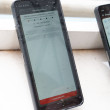
Samsung Omnia i910
Updates and Fixes

Wanted to get some info on how to change some settings on the phone such as if there is anyway to remove the Animation when changing orintation. Here are a few fixes for some known issues with the phone.
*PointUI Home 2, or Androkidd (Better user interface, although I couldn't get Androkidd to work)
*S2U2 (better Unlocking)
*Resco Keyboard or Swype Keyboard (Much better Keyboard) ***YOU WILL HAVE TO GOOGLE SEARCH SWYPE KEYBOARD FOR OMNIA I910 as it can no longer be discussed as per SWYPE INC.
*Use the optical mouse (Eliminates need for Stylus)
*Opera Mobile 9 with Turboboost, (Much faster Browsing
*Flash to Blazing Wolf's Windows Mobile 6.5 Rom (More games, unlocked GPS which can be shut off, runs faster) ***FLASH AT YOUR OWN RISK***...
(continues)
*PointUI Home 2, or Androkidd (Better user interface, although I couldn't get Androkidd to work)
*S2U2 (better Unlocking)
*Resco Keyboard or Swype Keyboard (Much better Keyboard) ***YOU WILL HAVE TO GOOGLE SEARCH SWYPE KEYBOARD FOR OMNIA I910 as it can no longer be discussed as per SWYPE INC.
*Use the optical mouse (Eliminates need for Stylus)
*Opera Mobile 9 with Turboboost, (Much faster Browsing
*Flash to Blazing Wolf's Windows Mobile 6.5 Rom (More games, unlocked GPS which can be shut off, runs faster) ***FLASH AT YOUR OWN RISK***...
(continues)
...