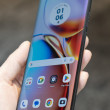
Motorola RIZR Z6tv
Transfer Files from PC to Phone via bluetooth???

Can you transfer files (picts and ringtones) from your PC via Bluetooth to this phone? The book says yes. BUt Verizon typically has shut that option off. Anyone have any luck?
Thanks
Thanks
...

I've tried it with both pix and ringtones but my computer gives me an error message that says "remote device does not support service". Seems Verizon has crippled this function. Shocker.
...

I have successfully emailed both photos and ringtones to my Rizr as attachments sent to:
(your 7-digit number)@vzwpix.com.
The ringtones have to be a fairly small file, say less than 250KB (20- 3- seconds; I make them using iTunes; let me know if you want more info). Even then the email message can take anywhere from 1/2 hour to many hours to show up, at least in my case. On my LG VX8300, both pix and ringtones attached to emails would show up in a matter of minutes. Either a weird Moto thing, or something new in Verizon's wonderful world.
(your 7-digit number)@vzwpix.com.
The ringtones have to be a fairly small file, say less than 250KB (20- 3- seconds; I make them using iTunes; let me know if you want more info). Even then the email message can take anywhere from 1/2 hour to many hours to show up, at least in my case. On my LG VX8300, both pix and ringtones attached to emails would show up in a matter of minutes. Either a weird Moto thing, or something new in Verizon's wonderful world.
...
Turns out you CAN transfer MP3 files and assign them as ringtones. Got this from HOWARDFORUMS
"...stayed up very late last night making a lot of cool ringtones - editing wavs of my favorite tunes to around 30 second chunks of audio and then exporting them as 56 kbps (24000 hz) mp3s.
Once I finished I stuck all the tones I made in a new folder called "My Motorola Z6TV Ringtones" (this will reside permanently on my computer). Then I made a copy of that folder called "Copy of Z6TV Rintones". Genius, eh?
Inside that copy folder I changed/renamed the file extensions of all my ringtones from .mp3 to .qcp.
Then I used the Bluetooth ODEX file transfer app on my laptop and connected to my phone. I found the "my_ringtones" folder on my ...
(continues)
"...stayed up very late last night making a lot of cool ringtones - editing wavs of my favorite tunes to around 30 second chunks of audio and then exporting them as 56 kbps (24000 hz) mp3s.
Once I finished I stuck all the tones I made in a new folder called "My Motorola Z6TV Ringtones" (this will reside permanently on my computer). Then I made a copy of that folder called "Copy of Z6TV Rintones". Genius, eh?
Inside that copy folder I changed/renamed the file extensions of all my ringtones from .mp3 to .qcp.
Then I used the Bluetooth ODEX file transfer app on my laptop and connected to my phone. I found the "my_ringtones" folder on my ...
(continues)
...

I was hoping you or someone can help me with this!!!
Or maybe there is an easier way to get ringtones on this phone... PLEASE HELP!
>>>I have successfully emailed ringtones to my Rizr Z6tv as attachments sent to:
(my 10 digit number)@vzwpix.com
Once i open the message, i can hear the ringtone perfectly fine. I then go to OPTIONS, then to SAVE SOUNDS, and from there i go to SET AS, and SET AS RINGTONE. It then asks me if i want to SET ........... AS RINGTONE? Once i select YES it then gives me an error message that reads: INVALID NAME CONTAINS NON ALPHANUMERIC CHARACTERS!
I dont understand why i'm getting this error message since my ringtone file is only 203KB, bitrate 56 Kbps, MP3 Format Sound, and only 29 sec. in length...
(continues)
Or maybe there is an easier way to get ringtones on this phone... PLEASE HELP!
>>>I have successfully emailed ringtones to my Rizr Z6tv as attachments sent to:
(my 10 digit number)@vzwpix.com
Once i open the message, i can hear the ringtone perfectly fine. I then go to OPTIONS, then to SAVE SOUNDS, and from there i go to SET AS, and SET AS RINGTONE. It then asks me if i want to SET ........... AS RINGTONE? Once i select YES it then gives me an error message that reads: INVALID NAME CONTAINS NON ALPHANUMERIC CHARACTERS!
I dont understand why i'm getting this error message since my ringtone file is only 203KB, bitrate 56 Kbps, MP3 Format Sound, and only 29 sec. in length...
(continues)
...
Turns out you CAN transfer MP3 files and assign them as ringtones. Got this from HOWARDFORUMS
"...stayed up very late last night making a lot of cool ringtones - editing wavs of my favorite tunes to around 30 second chunks of audio and then exporting them as 56 kbps (24000 hz) mp3s.
Once I finished I stuck all the tones I made in a new folder called "My Motorola Z6TV Ringtones" (this will reside permanently on my computer). Then I made a copy of that folder called "Copy of Z6TV Rintones". Genius, eh?
Inside that copy folder I changed/renamed the file extensions of all my ringtones from .mp3 to .qcp.
Then I used the Bluetooth ODEX file transfer app on my laptop and connected to my phone. I found the "my_ringtones" folder on my ph...
(continues)
"...stayed up very late last night making a lot of cool ringtones - editing wavs of my favorite tunes to around 30 second chunks of audio and then exporting them as 56 kbps (24000 hz) mp3s.
Once I finished I stuck all the tones I made in a new folder called "My Motorola Z6TV Ringtones" (this will reside permanently on my computer). Then I made a copy of that folder called "Copy of Z6TV Rintones". Genius, eh?
Inside that copy folder I changed/renamed the file extensions of all my ringtones from .mp3 to .qcp.
Then I used the Bluetooth ODEX file transfer app on my laptop and connected to my phone. I found the "my_ringtones" folder on my ph...
(continues)
...
I tried sending my ringtones via bluetooth but when i received ringtones set with the .qcp file extensions and played them on my phone, they didnt sound so good (not very clear). Not sure why, that is why i tried this other approach:
I emailed edited ringtones from wavepad to my Rizr Z6tv as attachments to:
(my 10 digit number)@vzwpix.com
Once i open the message, i can hear the ringtone perfectly fine. I then go to OPTIONS, then to SAVE SOUNDS, and from there i go to SET AS, and SET AS RINGTONE. It then asks me if i want to SET ........... AS RINGTONE? Once i select YES it then gives me an error message that reads: INVALID NAME CONTAINS NON ALPHANUMERIC CHARACTERS!
I don't understand why I'm getting this error message since my ...
(continues)
I emailed edited ringtones from wavepad to my Rizr Z6tv as attachments to:
(my 10 digit number)@vzwpix.com
Once i open the message, i can hear the ringtone perfectly fine. I then go to OPTIONS, then to SAVE SOUNDS, and from there i go to SET AS, and SET AS RINGTONE. It then asks me if i want to SET ........... AS RINGTONE? Once i select YES it then gives me an error message that reads: INVALID NAME CONTAINS NON ALPHANUMERIC CHARACTERS!
I don't understand why I'm getting this error message since my ...
(continues)
...
I had the same "alphnumeric" problem with ringtones I created in iTunes. Solved it by changing the name of the file (on the phone) after it was received.
Either verizon or the rizr itself creates the alphnumeric problem, as a # is automatically attached to each file, e.g. "04Daughters." Simply change the name of the file (again, on the phone) to either all alpha ("Daughters") or all numeric ("04") and the phone will accept it.
I hate it when they make me think!
Either verizon or the rizr itself creates the alphnumeric problem, as a # is automatically attached to each file, e.g. "04Daughters." Simply change the name of the file (again, on the phone) to either all alpha ("Daughters") or all numeric ("04") and the phone will accept it.
I hate it when they make me think!
...

When I email ringtones, it only let's me save them in the "My Sounds" and wont let me set them as ringtones.
Any ideas?
Thanks
Any ideas?
Thanks
...

I'm looking to get this phone. I have the Motorola E815. I remember learning that you can save your custom ringtones to your phone that you put on your Micro SD Card by sending them to you. Also, found out that Verizon was degrading the music files that you were sending to yourself. So, I learned on here that you can still save the mp3's to your phone as ringtones by sending the mp3's to a fake number like 111-111-1111. Can this still be done instead of having to waste 25 cents for each ringtone? I'm interested in the other option that someone posted on the site which would be costless but, that depends on if you have to buy a data cable in order to transfer the files to the phone. I wonder if instead of transferring it to the phone I could ...
(continues)
(continues)
...