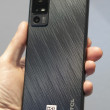
Samsung BlackJack SGH-i607
BlackJack Internet access as Modem

I know it's possible, but what's the deal with using the blackjack as a modem with your computer and dialing out to get internet access?
What's the number I should use to use this feature?
What's the number I should use to use this feature?
...

there is a fairly easy way to use the blackjack as a wireless access point for a computer using the usb cable.
1. connect the blackjack to your computer using the usb cable
2. on your computer browse to the windows directory on your cell phone
3. There will be a flie called Internet Sharing, copy this file
4. now browse to the folder in the windows folder called start menu
5. Paste the file in the folder
6. now on your cell phone click on start and scroll down to the internet sharing icon that is now listed there and open it.
7. click on the connect button and you should be in business 😁
1. connect the blackjack to your computer using the usb cable
2. on your computer browse to the windows directory on your cell phone
3. There will be a flie called Internet Sharing, copy this file
4. now browse to the folder in the windows folder called start menu
5. Paste the file in the folder
6. now on your cell phone click on start and scroll down to the internet sharing icon that is now listed there and open it.
7. click on the connect button and you should be in business 😁
...

I tried this and I got the following message::
"Cannot copy Internet Sharing: Access is denied.
Make sure your mobile device has sufficient memory, that the file is not set as read-only, and that you have permission to copy this file type."
"Cannot copy Internet Sharing: Access is denied.
Make sure your mobile device has sufficient memory, that the file is not set as read-only, and that you have permission to copy this file type."
...

Hello,
I had the same results and found a solution: 1. Use Active Sync Explorer to Copy the Internet Sharing file in the \Windows folder of you Blackjack to your computer.
2. Now edit the properties of the copy on your computer. Remove the READ ONLY.
3. Copy this file back to the Blackjack directory \Windows\Start Menu.
4. You should now see it in your Start Menu.
I hope this is easy to follow. I just did it a couple of minutes ago.
I really appreciate the direction from other on this forum.
Thank you.
I had the same results and found a solution: 1. Use Active Sync Explorer to Copy the Internet Sharing file in the \Windows folder of you Blackjack to your computer.
2. Now edit the properties of the copy on your computer. Remove the READ ONLY.
3. Copy this file back to the Blackjack directory \Windows\Start Menu.
4. You should now see it in your Start Menu.
I hope this is easy to follow. I just did it a couple of minutes ago.
I really appreciate the direction from other on this forum.
Thank you.
...

Perhaps I'm just being thick, but I can't seem to find the file folder labeled "windows" on the phone.
Using Vista, I have a connection path of "Computer/*'s Smartphone/\/" ((No typos))
Any ideas?
Using Vista, I have a connection path of "Computer/*'s Smartphone/\/" ((No typos))
Any ideas?
...

It's not dial-up internet. You're using the mobile internet, so you'll be charged for data usage if you have the data plan that charged per kb.
---Rob
---Rob
...