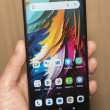
WebKit-based Opera Browser for Android Available
Presto! Hocus Pocus

Webkit based Opera Browser. I wonder whose platform they are most similar to. Chrome or Safari?
They finally realized that their proprietary Presto platform is not compatible with all websites.
They finally realized that their proprietary Presto platform is not compatible with all websites.
...

Have you checked it out? I got to see it in Barcelona last week and was impressed with the custom UI stuff for personalization. It was fast on the demo devices I saw, but that doesn't necessarily translate to real-world behavior.
...

I just installed it on a Nexus S, and it doesn't work especially well. The existing Opera Mobile is also a little sluggish, but mostly works OK.
The first thing that happened is the welcome wizard crashed, but that went away and it started working.
The screen blinks on and off a lot when loading Fox or CNN, sometimes entirely and sometimes in partial chunks. It also sometimes goes completely black when loading a new page.
For some reason it keeps trying to kill my brightness manager and reset the brightness setting. I have no idea why, but Chrome also does this which is one reason I don't use Chrome. Opera Mobile did not do this.
I tried using the full ebay website, which is a monster for javascript. I think it is actually w...
(continues)
The first thing that happened is the welcome wizard crashed, but that went away and it started working.
The screen blinks on and off a lot when loading Fox or CNN, sometimes entirely and sometimes in partial chunks. It also sometimes goes completely black when loading a new page.
For some reason it keeps trying to kill my brightness manager and reset the brightness setting. I have no idea why, but Chrome also does this which is one reason I don't use Chrome. Opera Mobile did not do this.
I tried using the full ebay website, which is a monster for javascript. I think it is actually w...
(continues)
...

Haha. I love Chrome and Skyfire on my Note 2. I dont see myself using any other browser. Never liked Opera Mini to begin with their layout never really appealed to me. sigh. Great review and hilarious reaction Eric xD.
...

Eric M. Zeman said:
Have you checked it out? I got to see it in Barcelona last week and was impressed with the custom UI stuff for personalization. It was fast on the demo devices I saw, but that doesn't necessarily translate to real-world behavior.
I installed the Opera Beta on my Optimus Elite--hooray!, the mobile Facebook site finally displays correctly!
...
This forum is closed.