Review: Samsung T809
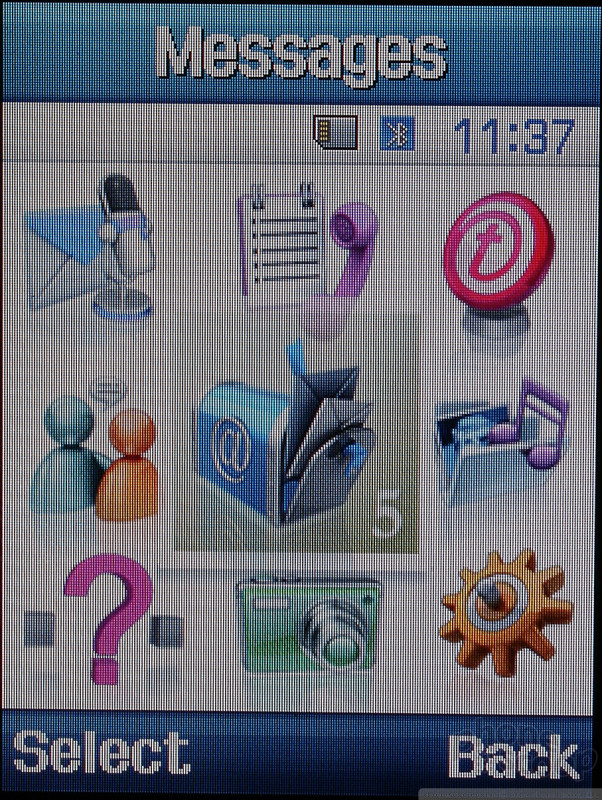
Samsung's user interface is unique and very easy to manipulate, thanks largely to the excellent display. The main menu's nine icons are all large, high contrast, and animated, making them quick to memorize. The secondary menus are all written out in simple lists. The only departure from this design is in the camera application, where icons are used in place of text.
Each menu item is also tied to a keypad number, providing a similar keypad navigation strategy to Nokia Series 40 phones. The highlighted element in the menu is brilliant blue, which eliminates any discrepancy about what is currently selected. Interface response is quick, and in our testing we weren't able to find a place where the system bogged down.


 CES 2006
 Samsung T809 & Nokia Eseries
 Samsung Refreshes Galaxy S Series with S Pen, New Cameras
 Hands On with the Motorola edge+ (2023)
 Samsung Updates Foldables with Water Resistance, S Pen
 Samsung SGH-T809 / SGH-D820