Hands-On: BlackBerry Storm
Oct 7, 2008, 11:24 PM by Rich Brome @rbrome.bsky.social
Our hands-on report of the just-announced BlackBerry Storm touch-screen phone for Verizon. Our first impressions with plenty of photos.

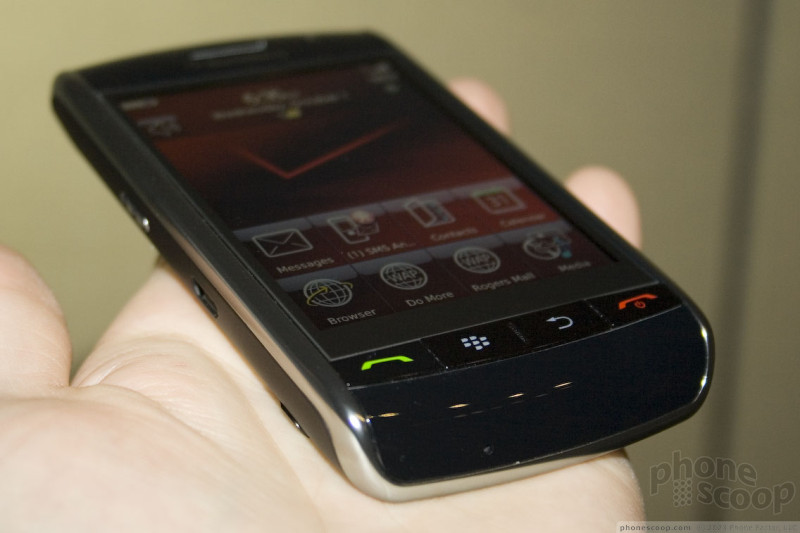
Research In Motion (RIM) and Verizon Wireless are preparing to launch the new flagship BlackBerry - the Storm 9530 - in time for the holidays. The Storm joins an increasingly large group of phones with large touch screens and new interfaces designed specifically to be manipulated with your finger, like the iPhone.
I recently spent time with a pre-production Storm 9530. I came away very impressed. Read on to see what surprises the Storm has in store.
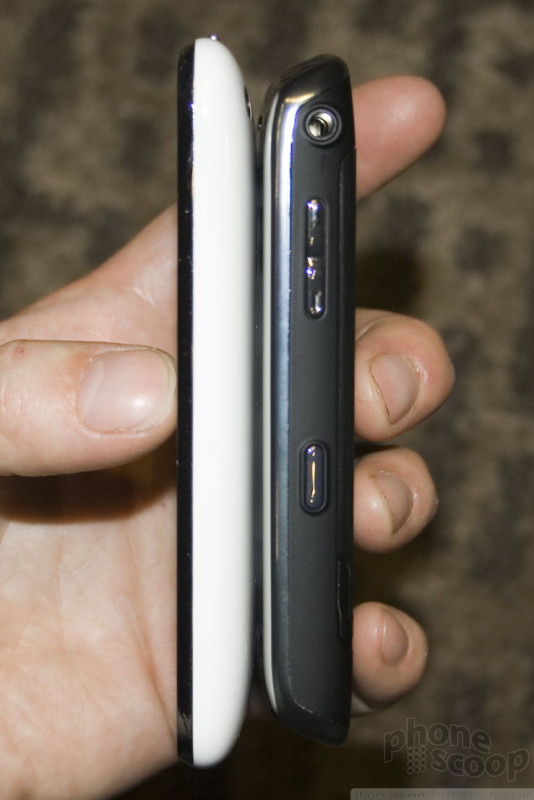
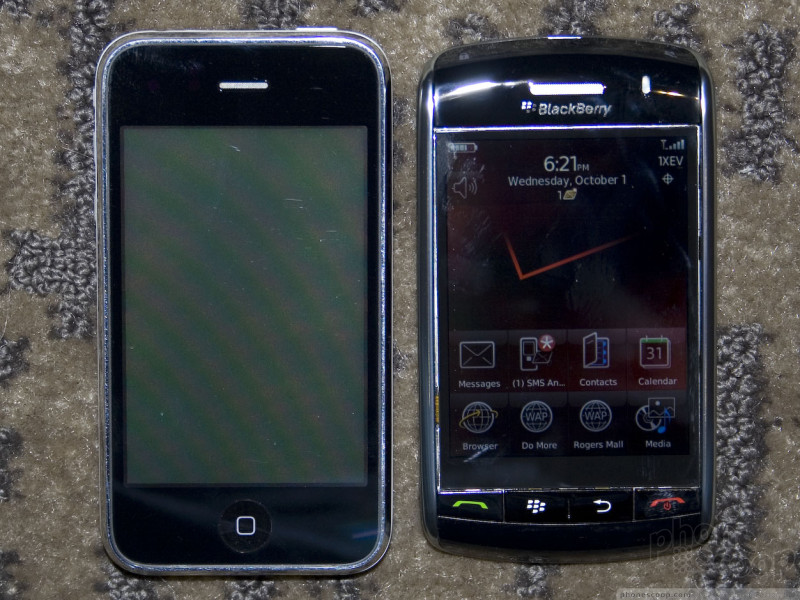
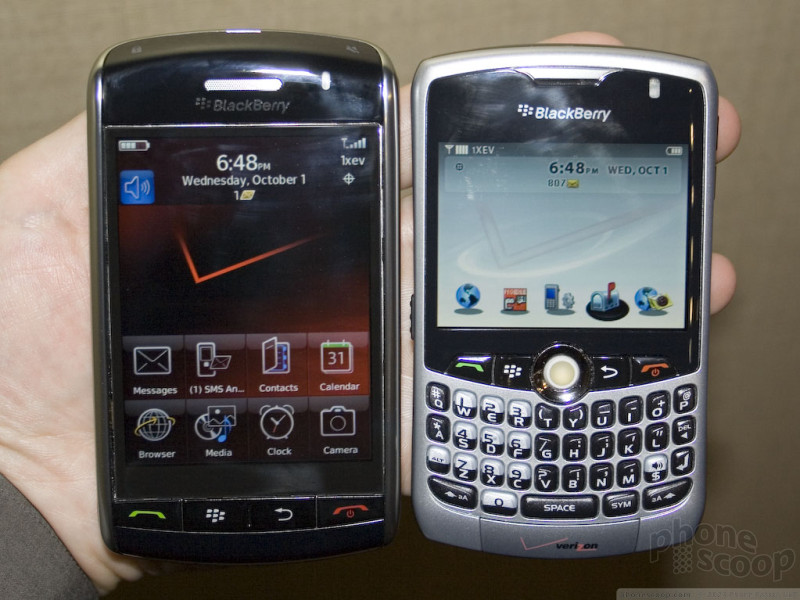
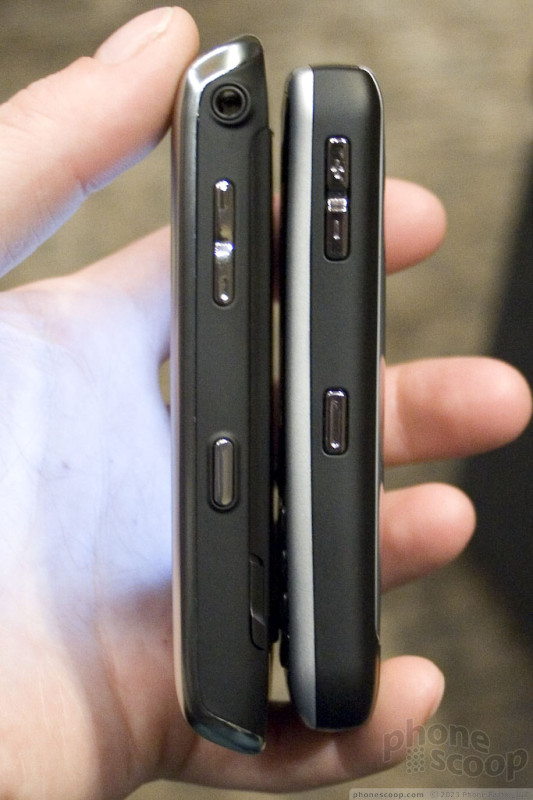
The Storm isn't excessively large, thick, or heavy. It's not going to impress in these departments, but it's reasonably pocket-friendly. If it's a half-ounce heavier than I would like, the upside is that this weight adds to a feeling of solid construction. Indeed, the overall build quality feels excellent. The rear battery cover plate is made of metal, which also helps. In terms of size, it's shorter than the iPhone. It's slightly larger than a Curve, although tapered edges help it feel smaller in the hand.
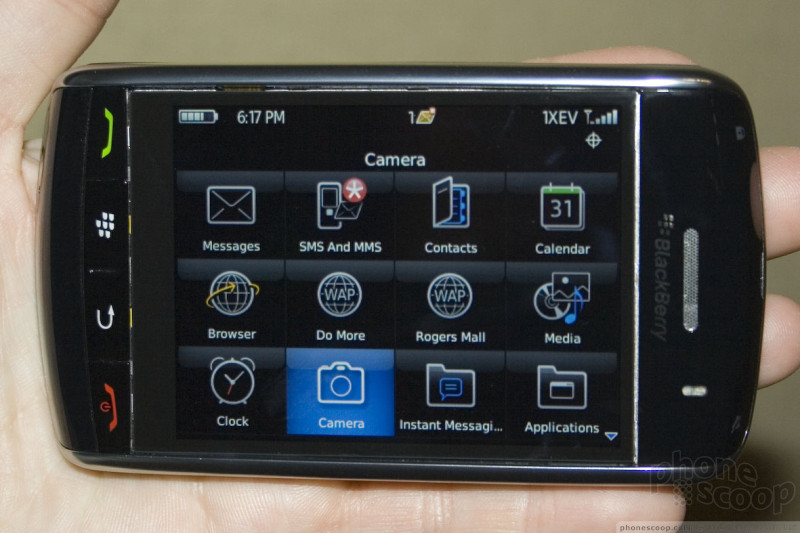
The display is huge and very high-resolution. At 480 x 360 pixels, it has 12% more pixels than the iPhone, and those pixels are more dense, making details exceptionally clear and crisp. The Storm bucks the wide-screen trend with an old-school 4:3 aspect ratio.
The big news about the display is the touch technology. First, it's capacitive, like the iPhone and the HTC G1. This alone is great news, but the real innovation is the true tactile feedback. The whole screen is essentially one giant physical button that you can press down for a gratifyingly real "click" action. There are no haptics or funny tricks here; just good ol' tactile feedback, and it works very well.
As you would expect, the click action lends a great deal to the experience of pressing virtual buttons and text entry. However, it also enables a whole new dimension (literally) in touch interaction. Capacitive touch technology requires no pressure; it responds to the very lightest touch. This means the Storm has two distinct ways to press the screen. A light touch is just a "touch", while a more forceful press results in a "click". This makes the Storm the first phone we know of with what could be considered a "3D" touch screen.
RIM has implemented a few clever uses for this in the BlackBerry interface. For example, the browser has a "cursor mode" that simulates a desktop browsing experience. Touching the screen moves a visible pointer around the web page just like using a mouse, while clicking (of course) clicks. Browsing email lists, a click will open that email, but a touch-and-hold will search for all emails with the same subject or sender. The QWERTY keyboard also has a touch-and-hold shortcut for accessing accented versions of letters, which is very useful for non-English languages.
Moving on to the rest of the hardware... there's an accelerometer, of course. Rotating 90 degrees in either direction flips the whole interface; it's quick, works on most parts of the interface, and works equally well for lefties.
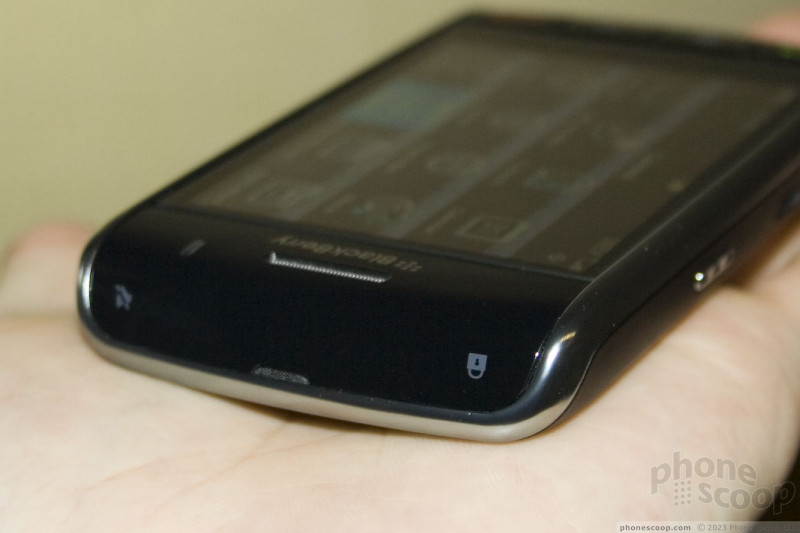
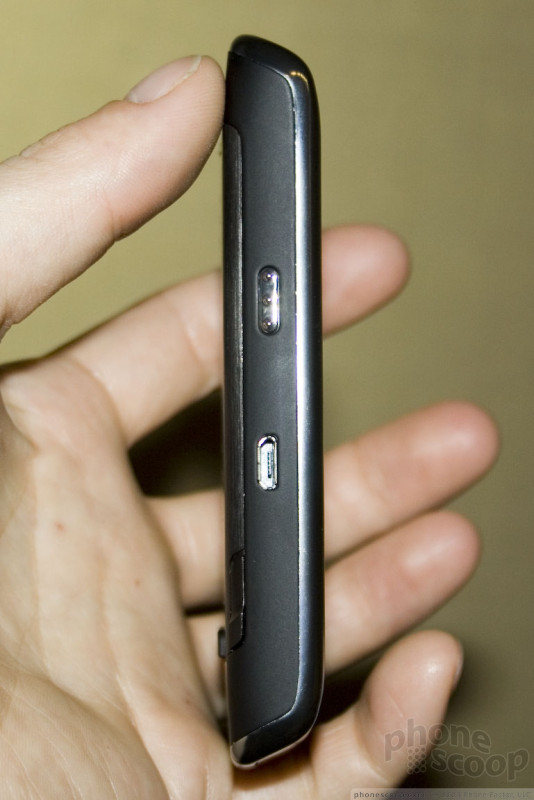
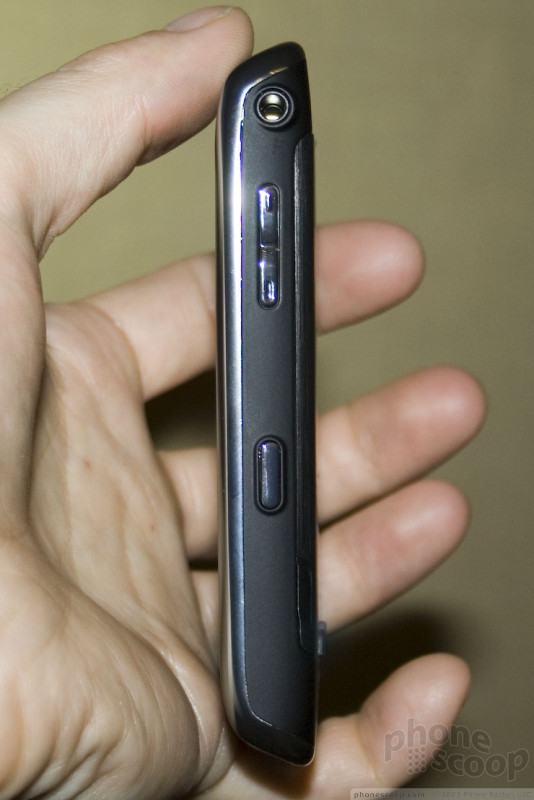
The front has four physical buttons: Menu (BlackBerry), Back, Send and End. They are all easy to find and work well. The top sports two semi-hidden physical buttons: mute and lock. The top buttons are completely smooth with the rest of the plastic at the top, but their placement at the corners keeps them easy to find and use. There's also the usual assortment of side keys, all of which work well.
You'll also find a standard micro-USB connector (which supports charging) and a standard 3.5mm headphone jack for use with a headset or your favorite music headphones. Stereo Bluetooth is also supported.
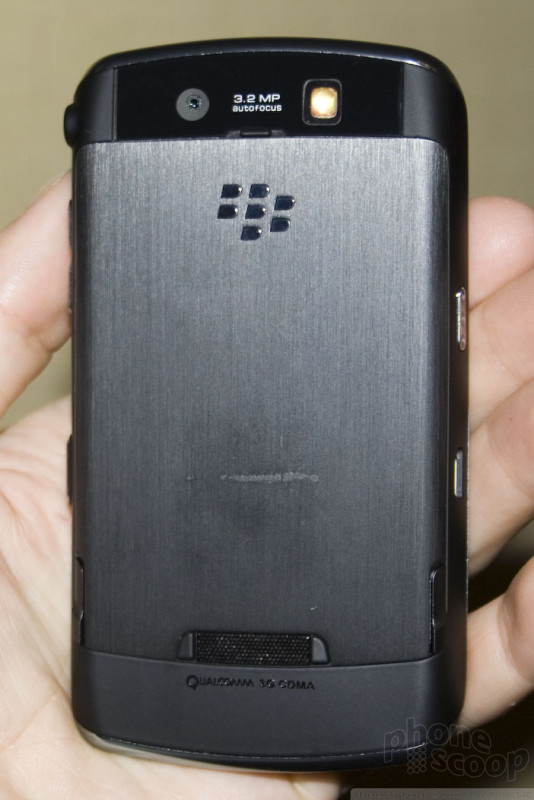
On the subject of sound, and moving to the back of the phone, there's a secondary microphone on the back which provides active noise cancellation. The speakerphone is also on the back. It's surrounded by two protruding rubber bumpers. These really stick out quite a bit and make the Storm harder to slip in and out of pockets, but they do their job of keeping the speakerphone loud and clear when the Storm is sitting flat on a desk. The speaker is quite loud and clear in all situations.
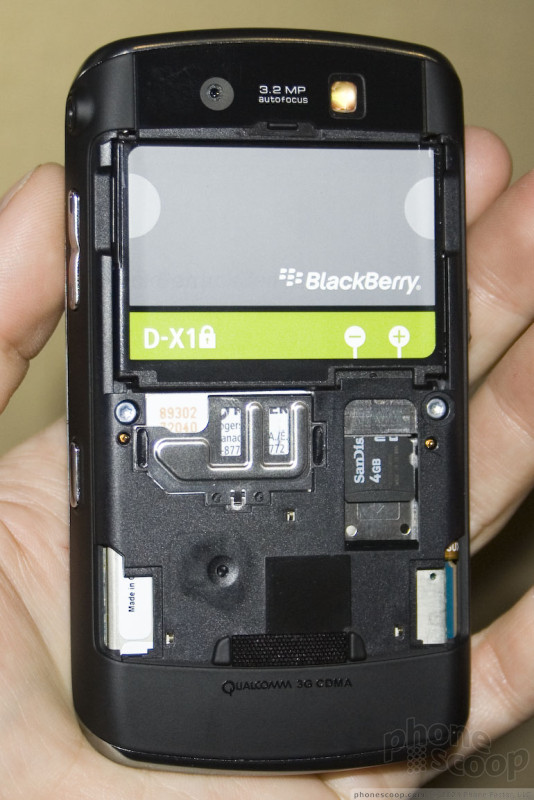
The microSD memory card slot is located under the battery cover, but it's easily accessible without removing the battery. The Storm comes with 1 GB of built-in memory plus another 8GB on the included memory card. Cards up to 16 GB are officially supported, and it should handle 32 GB cards in theory. Metal battery covers will be available in several colors, allowing some degree of customization.
Also on the back, you'll find a 3 megapixel auto-focus camera.
Besides the unique touch screen, the other feature of the Storm that blew me away is the roaming capability. This is simply the most global and most 3G-savvy phone made to date.
In the States, naturally it will work on Verizon's CDMA 850/1900 network. Not only is it EVDO, but the faster Rev. A flavor of EVDO, so you get the fastest data experience Verizon's network has to offer.
It's when going abroad that the Storm breaks new ground, though. The Storm supports all major overseas GSM and 3G networks. It's quad-band GSM, which gives you full GSM roaming even in Latin America. It also has HSDPA 2100, so you get full 3G data speeds in Europe and Asia. Verizon has roaming agreements already in place that support those 3G networks, and Verizon does not charge extra for 3G roaming; it's the same rate as GSM/EDGE data. The Storm 9530 even works in Japan and South Korea. A SIM card comes with the Storm, so it's ready for all this global action right out of the box.
The only thing missing is WiFi, but with so much 3G love, this is one of the few times we almost buy Verizon's argument that WiFi would be redundant.
 About the author, Rich Brome:
Editor in Chief Rich became fascinated with cell phones in 1999, creating mobile web sites for phones with tiny black-and-white displays and obsessing over new phone models. Realizing a need for better info about phones, he started Phone Scoop in 2001, and has been helming the site ever since. Rich has spent two decades researching and covering every detail of the phone industry, traveling the world to tour factories, interview CEOs, and get every last spec and photo Phone Scoop readers have come to expect. As an industry veteran, Rich is a respected voice on phone technology of the past, present, and future.
 Hands On with the T-Mobile REVVL 6 Pro 5G
 Hands On with the Motorola edge (2022)
 Hands On with Xplora Kids Smartwatches
 TCL's Newest Concept Phone has a Matte Screen
 Hands On with Teams-Certified Bluetooth Earbuds
Comments

Problems in the future?
(continues)
(continues)

BlackBerry Storm

sprint?

Google Maps??

I HAVE TO GET MY HANDS ON THIS!
I cannot wait for this phone to be released! My birthday is Nov. 8--I can't think of a better bday present!
COME ON VERIZON & RIM... LET US HAVE IT ALREADY!!
🤤
(continues)

why does it show a sim card slot?
With this you can use it for GSM GPRS EDGE UMTS & HSDPA internet speeds while traveling.
"It's when going abroad that the Storm breaks new ground, though. The Storm supports all major overseas GSM and 3G networks. It's quad-band GSM, which gives you full GSM roaming even in Latin America. It also has HSDPA 2100, ...
(continues)

Price
The 9530 Storm comes with a standard 8mb card and common sense says the price would be competitive with iphones. Maybe a littl...
(continues)

Storm Simulator
Thanks.

BlackBerry Messenger

Storm - Very heavy in weight
A 5.5 oz phone is almost as heavy as the HTC6800 5.8oz.
I personally think the HTC Diamond Touch at 4.1 oz is where the new RIM should be at. At least the Storm should be no heavier than 4.6 oz 8830.
--Eric

Availability?
_______________
Cody
http://www.verizoncrackberry.com »

Will Verizon cripple the GPS on this phone too?

WiFi vs 3G -- am I missing something?
The only thing missing is WiFi, but with so much 3G love, this is one of the few times we almost buy Verizon's argument that WiFi would be redundant.
I realize that 3G provides excellent coverage and speed, but I do not understand why people (besides Verizon) believe having WiFi would be redundant. If I'm sitting at home or in a local cafe that has WiFi, why would I want to use 3G and have to pay for the amount I download rather than take advantage of the free WiFi. Like I said, I totally understand Verizon wanting you to use 3G instead so they make money, but how can an outsider say its just as good to use 3G.
Maybe I'm missing something w...
(continues)
- I said "almost". 😉
- Most people do use the $20-30 unlimited data plans.
(continues)
Wifi = We're's the nearest coffe shop so i can use this expensive device to see if that cute guy messaged me on myspace?
😁 😁 😁
iPhone 3G works it's 3G magic in about 40% of the US Population and you still have to pay the $30 3G data plan not matter how you connect or where you are located....
(continues)
(continues)
(continues)

exclusively verizon?
Verizon has US exclusivity on the Storm
The only phones that are not exclusive beyond a 3-6 month time frame is the New Pearl (Codename Kickstart for GSM and Apex for CDMA) and the...
(continues)

Exchange support
It works with Blackberry Enterprise Servers, Outlook OWA, POP3, IMAP, or an Outlook Redirector program can be installed on your computer. The OWA, POP3 and IMAP j...
(continues)

Just get a browser to work!!!!
P.S. Amazing review as always guys!

Switching from iPhone to this device and Verizon

awesome goodness ..
(continues)

Gonna need a new phone soon, advice please....
The thing is I am in professional school and will be scheduling patients, making appointments, and needing to access my email on my phone
Bottom line I guess I need a more "grown up" phone than my current enV #1, which was an awesome phone.
Just looking for some advice on the Storm vs Dare vs waiting for a better phone to come out, if there is one on the horizon ( I am probably like most on this board wanting/looking for the next best thing 😁 )
To be more specific, it combines the user-friendliness of an iPhone with the functionality of both a tradition...
(continues)
(continues)

Does any one else see the ROGERS MALL on the first picture !!!
whats with that. . .
A full GSM edition to come?
I check a couple other pic's of the phone that were posted. Its is really on the unit shown at three angles.
For a little background knowledge:
Rogers is a Full GSM company in Canada, much like AT&T for y...
(continues)
Like the iPhone, the Storm lets you re-arrange the touch buttons on th...
(continues)
YOU CAN CHANGE THE NAME ON FOLDERS AND APPS!
It could be a Fav. saved for a Web Site, or anything!
IT HAS NOTHING TO DO WITH ROGERS!
N O T H I N G !