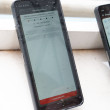
Review: HTC Touch Diamond
Bluetooth
The Bluetooth worked great. The Diamond paired easily with standard and stereo headsets. Calls sounded good and so did music. The Diamond also paired with PCs, and could push files to or pull files from them without issues.
Clock
The default setting of the Diamond places a large clock at the top of the home screen. If the home screen was the last screen you looked at, pressing the lock key will light up the screen and you can check the time no problem. If you left another application open or running, the Diamond will not show you the clock when you unlock it, but rather whatever the last application you were using was. This could be frustrating if all you want to do is check the time.
Sprint TV
The Diamond is capable of using Sprint's mobile TV service. The guide for selecting content is simple enough to work with, and finding and streaming video programming works with few hiccups. I noticed a few pauses here and there, and once when I was watching a South Park clip, the audio and video tracks were off. But Sprint TV works well on the Diamond for the most part.
Weather
I am just gonna say it. I love the weather app in the TouchFLO UI. HTC obviously thinks knowing what the weather is is important, because one of the icons in the carousel is for the weather. I opened it up today to look at the weather forecast for New York City. It was raining pretty heavily, and the not only does the weather application tell you that it is raining, but it is animated, and shows you rain drops, a wiper, and moving clouds. Very neat. Adding and removing cities is easy, and you can also choose to see a 5-day view of the weather.
YouTube
The Diamond also contains a YouTube client that is built into the browser section of the phone. It lets you go to a mobile-friendly version of YouTube and find videos to watch. The videos streamed quickly and without too much stuttering or pauses. The YouTube search client is used in the portrait orientation, but videos are played back in landscape orientation.
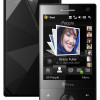 HTC Announces Touch Diamond
 Apple Announces iOS 15
 iPhone 14 Plus Offers a Big Screen For Less
 Motorola Adds 5G to the Moto G Stylus
 Motorola's new Edge has a 108 Megapixel Camera
 HTC Touch Diamond (CDMA)